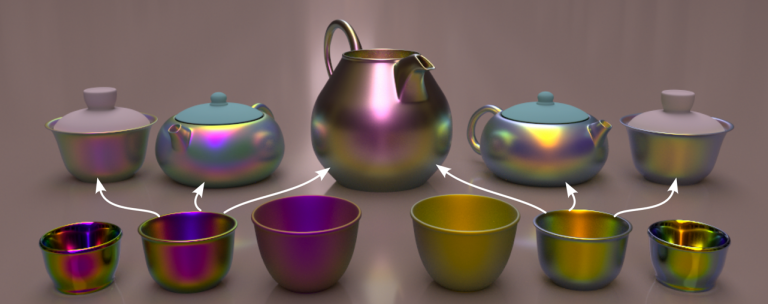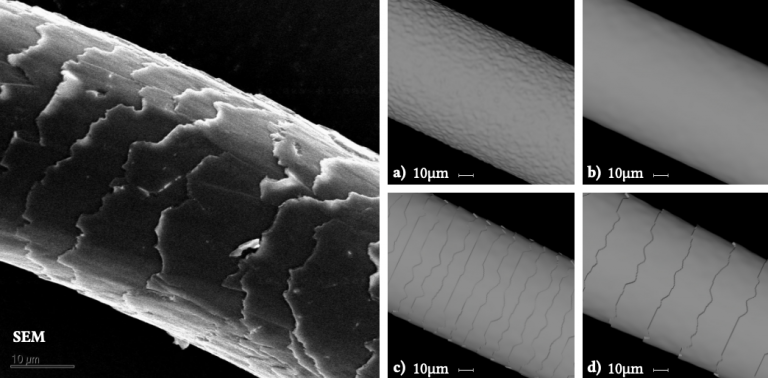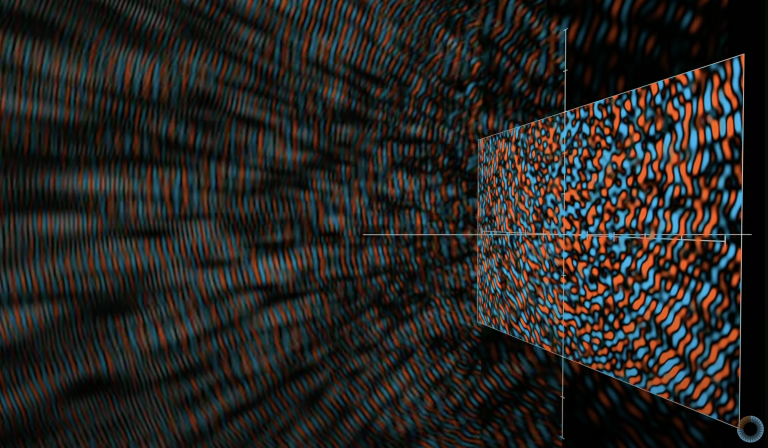
Improved Accuracy and Practicality(提高的精度和实用性)高精度模型(如Marschner模型、Yan[2015]等)需要复杂的数值计算和大量的预计算数据,因此难以在实时应用中实现。而低精度的经验模型则缺乏足够的物理真实性。于是在Yan[2017]中,做了很多改进。尽管模型简化了光散射路径,但通过结合物理现象(如毛小皮的多层反射结构、各向异性散射等),保持了毛发和毛皮的物理精度。通过对光的纵向和方位角散射进行合理简化,该模型在精确性上优于传统的经验模型。此外就是近场与远场的过渡处理。传统模型往往无法平滑地处理近场和远场之间的光学过渡问题。Yan等人引入了一个近场-远场的解析解决方案,在光线靠近毛发纤维时精确模拟反射,同时在远场时快速近似光线的整体反射行为。使得渲染效率可用于实时渲染。
Analytic Near/Far Field Solution(解析的近场/远场求解)近场(光线与单根毛发纤维之间的短距离交互,即散射行为)和远场(光线与大量毛发纤维之间的远距离集体效应)的处理存在巨大差异。为了实现近场和远场的无缝过渡,作者使用了解析积分方法,而非繁琐的数值积分。解析积分能够直接计算反射函数,不需要通过复杂的数值求解或预计算,极大地减少了计算时间。
简单总结一下,Yan[2017]提出的反射模型效果和性能都不错,通过统一皮层和髓质的IOR,使得模型只需要5个lobes就可以表示皮毛的复杂散射,利用张量近似最小化存储开销。在这个模型的基础上,提出远近场的解析积分,将模型拓展至多尺度渲染。想要在实时渲染中实现BCSDF模型是非常简单的,当前已经有不少实现方式了,并且已经应用于影视行业。[The Lion King (HD). 2017 movie] (2019 Oscar Nominee for Best Visual Effects)
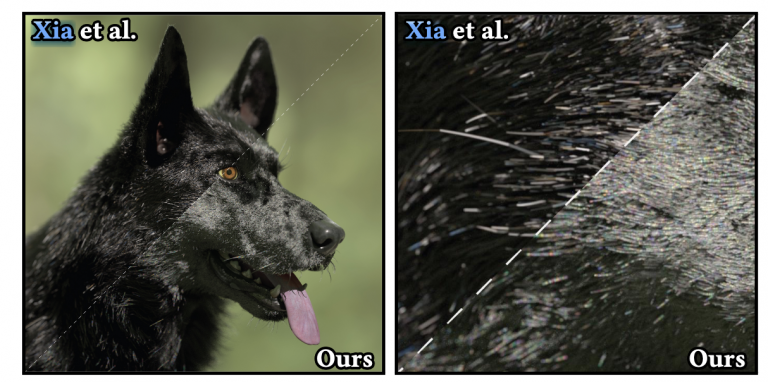
早在XIA[2020]就已经提出了利用波动光学准确描述光与纤维的相互作用,用边界元法(Boundary Element Method, BEM)模拟光线在任意截面的纤维散射。并且XIA[2020]指出由于衍射效应,纤维表现出极强的前向散射效应。因此波动光学效应应该让光线专注集中前向散射的方向。还指出了,小的纤维散射效应显著依赖光的波长,导致强烈的波长散射。此外波动场带来的奇异性软化现象也是决定真实焦散效果的关键。为了BEM模拟的计算量可控,纤维的形状理想为具有规则的横截面形状。但是Marschner[2003]指出毛发表面的不规则对毛发外观有重要的影响,在波动光学中这样的效应是否显著仍然是一个需要探讨和解决的问题。
之前的研究已经探索了如何通过蒙特卡洛方法来模拟体积散射中的散斑效应Bar[2019, 2020]。然而,这些模型主要适用于均匀介质(homogeneous media),不适用于毛发纤维等异质结构。Steinberg, Yan [2022]研究了平面粗糙表面的散斑渲染。然而作者指出,纤维表面的散斑效应与平面表面不同,表现出不同的统计特性。
[1] J. T. Kajiya and T. L. Kay, “RENDERING FUR WITIt THREE DIMENSIONAL TEXTURES,” 1989.
[2] S. R. Marschner, H. W. Jensen, and M. Cammarano, “Light Scattering from Human Hair Fibers,” 2003.
[3] A. Zinke and A. Weber, “Light Scattering from Filaments,” IEEE Trans. Visual. Comput. Graphics, vol. 13, no. 2, pp. 342–356, Mar. 2007.
[4] L.-Q. Yan, C.-W. Tseng, H. W. Jensen, and R. Ramamoorthi, “Physically-accurate fur reflectance: modeling, measurement and rendering,” ACM Trans. Graph., vol. 34, no. 6, pp. 1–13, Nov. 2015.
[5] L.-Q. Yan, H. W. Jensen, and R. Ramamoorthi, “An efficient and practical near and far field fur reflectance model,” ACM Trans. Graph., vol. 36, no. 4, pp. 1–13, Aug. 2017.
[6] M. Xia, B. Walter, C. Hery, O. Maury, E. Michielssen, and S. Marschner, “A Practical Wave Optics Reflection Model for Hair and Fur,” ACM Trans. Graph., vol. 42, no. 4, pp. 1–15, Aug. 2023.
[1] L.-Q. Yan, M. Hašan, W. Jakob, J. Lawrence, S. Marschner, and R. Ramamoorthi, “Rendering glints on high-resolution normal-mapped specular surfaces,” ACM Trans. Graph., vol. 33, no. 4, pp. 1–9, Jul. 2014.
[2] L.-Q. Yan, M. Hašan, S. Marschner, and R. Ramamoorthi, “Position-normal distributions for efficient rendering of specular microstructure,” ACM Trans. Graph., vol. 35, no. 4, pp. 1–9, Jul. 2016.
对于散射场,用边界积分公式(Boundary Integral Formulation)将电磁波的散射问题转化为仅在表面边界上求解的积分方程,关键实现方法是边界元方法(BEM)。再用基于三维快速傅里叶变换(3D FFT)的自适应积分方法(Adaptive Integral Method, AIM)加速边界积分的计算过程。
并且利用GPU加速并行处理大规模的表面散射问题。
并且paper中采用了一种组合小规模模拟结果来表征表面双向散射行为。
相关工作
基于波动光学的反射模型
老生常谈的几何光学 vs 波动光学。本文主要对比表面散射模型。几何光学的经典模型包括:Cook-Torrance模型 [Cook and Torrance 1982]、Oren-Nayar模型[Michael 1994]。波动光学这边,主要是用物理光学近似(Physical Optics Approximations)来简化全波方程。也就是黑毛狗中的一阶近似(单次散射)来估计表面反射。经典模型包括Beckmann-Kirchoff理论和Harvey-Shack模型,它们使用标量形式的近似方程来模拟波动光学效应。它们被广泛应用于各种表面类型的反射估计,比如高斯随机表面、周期性表面等。但是这些方法的计算结果常常是空间上的平均结果,没办法进行高分辨率的细节反射。
A Full-Wave Reference Simulator for Computing Surface Reflectance
Petr Beckmann and Andre Spizzichino. 1987. The scattering of electromagnetic waves from rough surfaces. Artech House.
Andrey Krywonos. 2006. Predicting Surface Scatter using a Linear Systems Formulation of Non-Paraxial Scalar Diffraction. Ph. D. Dissertation. University of Central Florida.
Ling-Qi Yan, Miloš Hašan, Bruce Walter, Steve Marschner, and Ravi Ramamoorthi. 2018. Rendering Specular Microgeometry with Wave Optics. ACM Trans. Graph. 37, 4 (2018).
Ling-Qi Yan, Miloš Hašan, Steve Marschner, and Ravi Ramamoorthi. 2016. Positionnormal distributions for efficient rendering of specular microstructure. ACM Transactions on Graphics (TOG) 35, 4 (2016), 1–9.
R. L. Cook and K. E. Torrance. 1982. A Reflectance Model for Computer Graphics. ACM Trans. Graph. 1, 1 (jan 1982). https://doi.org/10.1145/357290.357293
Phong细分不需要知道相邻的拓扑信息,仅仅用插值计算,比PN triangles等算法效率更高。GAMES101上提到的Loop and Schaefer利用低度数四边形曲面近似Catmull-Clark曲面,这些方法输入的多边形都被一个多项式曲面替代。而本文的Phong细分不需要任何修正额外的几何区域的操作。
structTessellationFactors{floatedge[3] : SV_TessFactor;float inside :SV_InsideTessFactor;};// The patch constant function runs once per triangle, or "patch"// It runs in parallel to the hull functionTessellationFactorsPatchConstantFunction(InputPatch<TessellationControlPoint,3>patch) {UNITY_SETUP_INSTANCE_ID(patch[0]);// Set up instancing// Calculate tessellation factorsTessellationFactorsf;f.edge[0] =_FactorEdge1.x;f.edge[1] =_FactorEdge1.y;f.edge[2] =_FactorEdge1.z;f.inside=_FactorInside;returnf;}
structInterpolators{float3 normalWS :TEXCOORD0;float3 positionWS :TEXCOORD1;float4 positionCS :SV_POSITION;};// Call this macro to interpolate between a triangle patch, passing the field name#defineBARYCENTRIC_INTERPOLATE(fieldName) \patch[0].fieldName*barycentricCoordinates.x+ \patch[1].fieldName*barycentricCoordinates.y+ \patch[2].fieldName*barycentricCoordinates.z// The domain function runs once per vertex in the final, tessellated mesh// Use it to reposition vertices and prepare for the fragment stage[domain("tri")] // Signal we're inputting trianglesInterpolatorsDomain(TessellationFactorsfactors,// The output of the patch constant functionOutputPatch<TessellationControlPoint,3>patch,// The Input trianglefloat3barycentricCoordinates : SV_DomainLocation) {// The barycentric coordinates of the vertex on the triangleInterpolatorsoutput;// Setup instancing and stereo support (for VR)UNITY_SETUP_INSTANCE_ID(patch[0]);UNITY_TRANSFER_INSTANCE_ID(patch[0],output);UNITY_INITIALIZE_VERTEX_OUTPUT_STEREO(output);float3positionWS=BARYCENTRIC_INTERPOLATE(positionWS);float3normalWS=BARYCENTRIC_INTERPOLATE(normalWS);output.positionCS=TransformWorldToHClip(positionWS);output.normalWS=normalWS;output.positionWS=positionWS;returnoutput;}
// The patch constant function runs once per triangle, or "patch"// It runs in parallel to the hull functionTessellationFactorsPatchConstantFunction(InputPatch<TessellationControlPoint,3>patch) {UNITY_SETUP_INSTANCE_ID(patch[0]);// Set up instancing// Calculate tessellation factorsTessellationFactorsf;f.edge[0] =_FactorEdge1.x;f.edge[1] =_FactorEdge2;// -- Edited --f.edge[2] =_FactorEdge3;// -- Edited --f.inside=_FactorInside;returnf;}_FactorEdge2("Edge 2 factor",Float) =1// -- Edited --_FactorEdge3("Edge 3 factor",Float) =1// -- Edited --
// Returns true if it should be clipped due to frustum or winding cullingboolShouldClipPatch(float4p0PositionCS,float4p1PositionCS,float4p2PositionCS) {returnfalse;}
// Returns true if the point is outside the bounds set by lower and higherboolIsOutOfBounds(float3p,float3lower,float3higher) {returnp.x<lower.x||p.x>higher.x||p.y<lower.y||p.y>higher.y||p.z<lower.z||p.z>higher.z;}// Returns true if the given vertex is outside the camera fustum and should be culledboolIsPointOutOfFrustum(float4positionCS) {float3culling=positionCS.xyz;floatw=positionCS.w;// UNITY_RAW_FAR_CLIP_VALUE is either 0 or 1, depending on graphics API// Most use 0, however OpenGL uses 1float3lowerBounds=float3(-w,-w,-w*UNITY_RAW_FAR_CLIP_VALUE);float3higherBounds=float3(w,w,w);returnIsOutOfBounds(culling,lowerBounds,higherBounds);}
// Returns true if it should be clipped due to frustum or winding cullingboolShouldClipPatch(float4p0PositionCS,float4p1PositionCS,float4p2PositionCS) {boolallOutside=IsPointOutOfFrustum(p0PositionCS) &&IsPointOutOfFrustum(p1PositionCS) &&IsPointOutOfFrustum(p2PositionCS);// -- Edited -- returnallOutside;// -- Edited -- }
// Returns true if the points in this triangle are wound counter-clockwiseboolShouldBackFaceCull(float4p0PositionCS,float4p1PositionCS,float4p2PositionCS) {float3point0=p0PositionCS.xyz/p0PositionCS.w;float3point1=p1PositionCS.xyz/p1PositionCS.w;float3point2=p2PositionCS.xyz/p2PositionCS.w;float3normal=cross(point1-point0,point2-point0);returndot(normal,float3(0,0,1)) <0;}
上面的代码还存在一个跨平台问题。观察方向在不同API的朝向是不同的,因此修改一下代码。
// In clip space, the view direction is float3(0, 0, 1), so we can just test the z coord#ifUNITY_REVERSED_Zreturncross(point1-point0,point2-point0).z<0;#else// In OpenGL, the test is reversedreturncross(point1-point0,point2-point0).z>0;#endif
最后的最后,在 ShouldClipPatch 中添加刚写好的函数用于判断背面剔除。
// Returns true if it should be clipped due to frustum or winding cullingboolShouldClipPatch(float4p0PositionCS,float4p1PositionCS,float4p2PositionCS) {boolallOutside=IsPointOutOfFrustum(p0PositionCS) &&IsPointOutOfFrustum(p1PositionCS) &&IsPointOutOfFrustum(p2PositionCS);returnallOutside||ShouldBackFaceCull(p0PositionCS,p1PositionCS,p2PositionCS);// -- Edited -- }
然后在 PatchConstantFunction 中将需要剔除的Patch的顶点因子设置为0 。
...if (ShouldClipPatch(patch[0].positionCS,patch[1].positionCS,patch[2].positionCS)) {f.edge[0] =f.edge[1] =f.edge[2] =f.inside=0;// Cull the patch}...
// Returns true if the given vertex is outside the camera fustum and should be culledboolIsPointOutOfFrustum(float4positionCS,floattolerance) {float3culling=positionCS.xyz;floatw=positionCS.w;// UNITY_RAW_FAR_CLIP_VALUE is either 0 or 1, depending on graphics API// Most use 0, however OpenGL uses 1float3lowerBounds=float3(-w-tolerance,-w-tolerance,-w*UNITY_RAW_FAR_CLIP_VALUE-tolerance);float3higherBounds=float3(w+tolerance,w+tolerance,w+tolerance);returnIsOutOfBounds(culling,lowerBounds,higherBounds);}
// Returns true if the points in this triangle are wound counter-clockwiseboolShouldBackFaceCull(float4p0PositionCS,float4p1PositionCS,float4p2PositionCS,floattolerance) {float3point0=p0PositionCS.xyz/p0PositionCS.w;float3point1=p1PositionCS.xyz/p1PositionCS.w;float3point2=p2PositionCS.xyz/p2PositionCS.w;// In clip space, the view direction is float3(0, 0, 1), so we can just test the z coord#ifUNITY_REVERSED_Zreturncross(point1-point0,point2-point0).z<-tolerance;#else// In OpenGL, the test is reversedreturncross(point1-point0,point2-point0).z>tolerance;#endif}
可以在材质面板中暴露一个Range。
// .shaderProperties{_tolerance("_tolerance",Range(-0.002,0.001)) =0...}// .hlslfloat_tolerance;...// Returns true if it should be clipped due to frustum or winding cullingboolShouldClipPatch(float4p0PositionCS,float4p1PositionCS,float4p2PositionCS) {boolallOutside=IsPointOutOfFrustum(p0PositionCS,_tolerance) &&IsPointOutOfFrustum(p1PositionCS,_tolerance) &&IsPointOutOfFrustum(p2PositionCS,_tolerance);// -- Edited -- returnallOutside||ShouldBackFaceCull(p0PositionCS,p1PositionCS,p2PositionCS,_tolerance);// -- Edited -- }
// Calculate the tessellation factor for an edgefloatEdgeTessellationFactor(floatscale,floatbias,float3p0PositionWS,float3p1PositionWS) {floatfactor=distance(p0PositionWS,p1PositionWS) /scale;returnmax(1,factor+bias);}
f.inside= ( // If the compiler doesn't play nice...EdgeTessellationFactor(_TessellationFactor,_TessellationBias,patch[1].positionWS,patch[2].positionWS) +EdgeTessellationFactor(_TessellationFactor,_TessellationBias,patch[2].positionWS,patch[0].positionWS) +EdgeTessellationFactor(_TessellationFactor,_TessellationBias,patch[0].positionWS,patch[1].positionWS) ) /3.0;
// Calculate Phong projection offsetfloat3PhongProjectedPosition(float3flatPositionWS,float3cornerPositionWS,float3normalWS) {returnflatPositionWS-dot(flatPositionWS-cornerPositionWS,normalWS) *normalWS;}// Apply Phong smoothingfloat3CalculatePhongPosition(float3bary,float3p0PositionWS,float3p0NormalWS,float3p1PositionWS,float3p1NormalWS,float3p2PositionWS,float3p2NormalWS) {float3smoothedPositionWS=bary.x*PhongProjectedPosition(flatPositionWS,p0PositionWS,p0NormalWS) +bary.y*PhongProjectedPosition(flatPositionWS,p1PositionWS,p1NormalWS) +bary.z*PhongProjectedPosition(flatPositionWS,p2PositionWS,p2NormalWS);returnsmoothedPositionWS;}// The domain function runs once per vertex in the final, tessellated mesh// Use it to reposition vertices and prepare for the fragment stage[domain("tri")] // Signal we're inputting trianglesInterpolatorsDomain(TessellationFactorsfactors,// The output of the patch constant functionOutputPatch<TessellationControlPoint,3>patch,// The Input trianglefloat3barycentricCoordinates : SV_DomainLocation) {// The barycentric coordinates of the vertex on the triangleInterpolatorsoutput;...float3positionWS=CalculatePhongPosition(barycentricCoordinates,patch[0].positionWS,patch[0].normalWS,patch[1].positionWS,patch[1].normalWS,patch[2].positionWS,patch[2].normalWS);float3normalWS=BARYCENTRIC_INTERPOLATE(normalWS);float3tangentWS=BARYCENTRIC_INTERPOLATE(tangentWS.xyz);...output.positionCS=TransformWorldToHClip(positionWS);output.normalWS=normalWS;output.positionWS=positionWS;output.tangentWS=float4(tangentWS,patch[0].tangentWS.w);...}
structTessellationFactors{floatedge[3] : SV_TessFactor;float inside :SV_InsideTessFactor;float3bezierPoints[7] : BEZIERPOS;};//Bezier control point calculationsfloat3CalculateBezierControlPoint(float3p0PositionWS,float3aNormalWS,float3p1PositionWS,float3bNormalWS) {floatw=dot(p1PositionWS-p0PositionWS,aNormalWS);return (p0PositionWS*2+p1PositionWS-w*aNormalWS) /3.0;}voidCalculateBezierControlPoints(inoutfloat3bezierPoints[7],float3p0PositionWS,float3p0NormalWS,float3p1PositionWS,float3p1NormalWS,float3p2PositionWS,float3p2NormalWS) {bezierPoints[0] =CalculateBezierControlPoint(p0PositionWS,p0NormalWS,p1PositionWS,p1NormalWS);bezierPoints[1] =CalculateBezierControlPoint(p1PositionWS,p1NormalWS,p0PositionWS,p0NormalWS);bezierPoints[2] =CalculateBezierControlPoint(p1PositionWS,p1NormalWS,p2PositionWS,p2NormalWS);bezierPoints[3] =CalculateBezierControlPoint(p2PositionWS,p2NormalWS,p1PositionWS,p1NormalWS);bezierPoints[4] =CalculateBezierControlPoint(p2PositionWS,p2NormalWS,p0PositionWS,p0NormalWS);bezierPoints[5] =CalculateBezierControlPoint(p0PositionWS,p0NormalWS,p2PositionWS,p2NormalWS);float3avgBezier=0; [unroll] for (inti=0;i<6;i++) {avgBezier+=bezierPoints[i];}avgBezier/=6.0;float3avgControl= (p0PositionWS+p1PositionWS+p2PositionWS) /3.0;bezierPoints[6] =avgBezier+ (avgBezier-avgControl) /2.0;}// The patch constant function runs once per triangle, or "patch"// It runs in parallel to the hull functionTessellationFactorsPatchConstantFunction(InputPatch<TessellationControlPoint,3>patch) {...TessellationFactorsf= (TessellationFactors)0;// Check if this patch should be culled (it is out of view)if (ShouldClipPatch(...)) {...}else{...CalculateBezierControlPoints(f.bezierPoints,patch[0].positionWS,patch[0].normalWS,patch[1].positionWS,patch[1].normalWS,patch[2].positionWS,patch[2].normalWS);}returnf;}
$$ \begin{aligned} & b: \quad R^2 \mapsto R^3, \quad \text { for } w=1-u-v, \quad u, v, w \geq 0 \ & b(u, v)= \sum_{i+j+k=3} b_{i j k} \frac{3!}{i!j!k!} u^i v^j w^k \ &= b_{300} w^3+b_{030} u^3+b_{003} v^3 \ &+b_{210} 3 w^2 u+b_{120} 3 w u^2+b_{201} 3 w^2 v \ &+b_{021} 3 u^2 v+b_{102} 3 w v^2+b_{012} 3 u v^2 \ &+b_{111} 6 w u v . \end{aligned} $$
// Barycentric interpolation as a functionfloat3BarycentricInterpolate(float3bary,float3a,float3b,float3c) {returnbary.x*a+bary.y*b+bary.z*c;}float3CalculateBezierPosition(float3bary,floatsmoothing,float3bezierPoints[7],float3p0PositionWS,float3p1PositionWS,float3p2PositionWS) {float3flatPositionWS=BarycentricInterpolate(bary,p0PositionWS,p1PositionWS,p2PositionWS);float3smoothedPositionWS=p0PositionWS* (bary.x*bary.x*bary.x) +p1PositionWS* (bary.y*bary.y*bary.y) +p2PositionWS* (bary.z*bary.z*bary.z) +bezierPoints[0] * (3*bary.x*bary.x*bary.y) +bezierPoints[1] * (3*bary.y*bary.y*bary.x) +bezierPoints[2] * (3*bary.y*bary.y*bary.z) +bezierPoints[3] * (3*bary.z*bary.z*bary.y) +bezierPoints[4] * (3*bary.z*bary.z*bary.x) +bezierPoints[5] * (3*bary.x*bary.x*bary.z) +bezierPoints[6] * (6*bary.x*bary.y*bary.z);returnlerp(flatPositionWS,smoothedPositionWS,smoothing);}// The domain function runs once per vertex in the final, tessellated mesh// Use it to reposition vertices and prepare for the fragment stage[domain("tri")] // Signal we're inputting trianglesInterpolatorsDomain(TessellationFactorsfactors,// The output of the patch constant functionOutputPatch<TessellationControlPoint,3>patch,// The Input trianglefloat3barycentricCoordinates : SV_DomainLocation) {// The barycentric coordinates of the vertex on the triangleInterpolatorsoutput;...// Calculate tessellation smoothing multiplerfloatsmoothing=_TessellationSmoothing;#ifdef_TESSELLATION_SMOOTHING_VCOLORSsmoothing*=BARYCENTRIC_INTERPOLATE(color.r);// Multiply by the vertex's red channel#endiffloat3positionWS=CalculateBezierPosition(barycentricCoordinates,smoothing,factors.bezierPoints,patch[0].positionWS,patch[1].positionWS,patch[2].positionWS);float3normalWS=BARYCENTRIC_INTERPOLATE(normalWS);float3tangentWS=BARYCENTRIC_INTERPOLATE(tangentWS.xyz);...}
structTessellationFactors{floatedge[3] : SV_TessFactor;float inside :SV_InsideTessFactor;float3bezierPoints[10] : BEZIERPOS;};float3CalculateBezierControlNormal(float3p0PositionWS,float3aNormalWS,float3p1PositionWS,float3bNormalWS) {float3d=p1PositionWS-p0PositionWS;floatv=2*dot(d,aNormalWS+bNormalWS) /dot(d,d);returnnormalize(aNormalWS+bNormalWS-v*d);}voidCalculateBezierNormalPoints(inoutfloat3bezierPoints[10],float3p0PositionWS,float3p0NormalWS,float3p1PositionWS,float3p1NormalWS,float3p2PositionWS,float3p2NormalWS) {bezierPoints[7] =CalculateBezierControlNormal(p0PositionWS,p0NormalWS,p1PositionWS,p1NormalWS);bezierPoints[8] =CalculateBezierControlNormal(p1PositionWS,p1NormalWS,p2PositionWS,p2NormalWS);bezierPoints[9] =CalculateBezierControlNormal(p2PositionWS,p2NormalWS,p0PositionWS,p0NormalWS);}// The patch constant function runs once per triangle, or "patch"// It runs in parallel to the hull functionTessellationFactorsPatchConstantFunction(InputPatch<TessellationControlPoint,3>patch) {...TessellationFactorsf= (TessellationFactors)0;// Check if this patch should be culled (it is out of view)if (ShouldClipPatch(...)) {..}else{...CalculateBezierControlPoints(f.bezierPoints,patch[0].positionWS,patch[0].normalWS,patch[1].positionWS,patch[1].normalWS,patch[2].positionWS,patch[2].normalWS);CalculateBezierNormalPoints(f.bezierPoints,patch[0].positionWS,patch[0].normalWS,patch[1].positionWS,patch[1].normalWS,patch[2].positionWS,patch[2].normalWS);}returnf;}
并且需要注意,所有插值得到的法线向量都需要标准化。
float3CalculateBezierNormal(float3bary,float3bezierPoints[10],float3p0NormalWS,float3p1NormalWS,float3p2NormalWS) {returnp0NormalWS* (bary.x*bary.x) +p1NormalWS* (bary.y*bary.y) +p2NormalWS* (bary.z*bary.z) +bezierPoints[7] * (2*bary.x*bary.y) +bezierPoints[8] * (2*bary.y*bary.z) +bezierPoints[9] * (2*bary.z*bary.x);}float3CalculateBezierNormalWithSmoothFactor(float3bary,floatsmoothing,float3bezierPoints[10],float3p0NormalWS,float3p1NormalWS,float3p2NormalWS) {float3flatNormalWS=BarycentricInterpolate(bary,p0NormalWS,p1NormalWS,p2NormalWS);float3smoothedNormalWS=CalculateBezierNormal(bary,bezierPoints,p0NormalWS,p1NormalWS,p2NormalWS);returnnormalize(lerp(flatNormalWS,smoothedNormalWS,smoothing));}// The domain function runs once per vertex in the final, tessellated mesh// Use it to reposition vertices and prepare for the fragment stage[domain("tri")] // Signal we're inputting trianglesInterpolatorsDomain(TessellationFactorsfactors,// The output of the patch constant functionOutputPatch<TessellationControlPoint,3>patch,// The Input trianglefloat3barycentricCoordinates : SV_DomainLocation) {// The barycentric coordinates of the vertex on the triangleInterpolatorsoutput;...// Calculate tessellation smoothing multiplerfloatsmoothing=_TessellationSmoothing;float3positionWS=CalculateBezierPosition(barycentricCoordinates,smoothing,factors.bezierPoints,patch[0].positionWS,patch[1].positionWS,patch[2].positionWS);float3normalWS=CalculateBezierNormalWithSmoothFactor(barycentricCoordinates,smoothing,factors.bezierPoints,patch[0].normalWS,patch[1].normalWS,patch[2].normalWS);float3tangentWS=BARYCENTRIC_INTERPOLATE(tangentWS.xyz);...}
voidCalculateBezierNormalAndTangent(float3bary,floatsmoothing,float3bezierPoints[10],float3p0NormalWS,float3p0TangentWS,float3p1NormalWS,float3p1TangentWS,float3p2NormalWS,float3p2TangentWS,outfloat3normalWS,outfloat3tangentWS) {float3flatNormalWS=BarycentricInterpolate(bary,p0NormalWS,p1NormalWS,p2NormalWS);float3smoothedNormalWS=CalculateBezierNormal(bary,bezierPoints,p0NormalWS,p1NormalWS,p2NormalWS);normalWS=normalize(lerp(flatNormalWS,smoothedNormalWS,smoothing));float3flatTangentWS=BarycentricInterpolate(bary,p0TangentWS,p1TangentWS,p2TangentWS);float3flatBitangentWS=cross(flatNormalWS,flatTangentWS);tangentWS=normalize(cross(flatBitangentWS,normalWS));}[domain("tri")] // Signal we're inputting trianglesInterpolatorsDomain(TessellationFactorsfactors,// The output of the patch constant functionOutputPatch<TessellationControlPoint,3>patch,// The Input trianglefloat3barycentricCoordinates : SV_DomainLocation) {// The barycentric coordinates of the vertex on the triangle...float3normalWS,tangentWS;CalculateBezierNormalAndTangent(barycentricCoordinates,smoothing,factors.bezierPoints,patch[0].normalWS,patch[0].tangentWS.xyz,patch[1].normalWS,patch[1].tangentWS.xyz,patch[2].normalWS,patch[2].tangentWS.xyz,normalWS,tangentWS);...}
// Add to the top of the geometry shader.float3pos = IN[0];…// Update each assignment of o.pos.o.pos = UnityObjectToClipPos(pos + float3(0.5, 0, 0));…o.pos = UnityObjectToClipPos(pos + float3(-0.5, 0, 0));…o.pos = UnityObjectToClipPos(pos + float3(0, 1, 0));
float3x3AngleAxis3x3(floatangle, float3axis){floatc, s;sincos(angle, s, c);floatt = 1 - c;floatx = axis.x;floaty = axis.y;floatz = axis.z;returnfloat3x3(t * x * x + c, t * x * y - s * z, t * x * z + s * y,t * x * y + s * z, t * y * y + c, t * y * z - s * x,t * x * z - s * y, t * y * z + s * x, t * z * z + c );}
usingUnityEngine;publicclassShaderInteractor : MonoBehaviour{// Update is called once per framevoidUpdate(){Shader.SetGlobalVector("_PositionMoving",transform.position);}}
List<uint>grassVisibleIDList=newList<uint>();// buffer that contains the ids of all visible instancesprivateComputeBufferm_VisibleIDBuffer;privateconstint VISIBLE_ID_STRIDE =1*sizeof(uint);m_VisibleIDBuffer=newComputeBuffer(grassData.Count,VISIBLE_ID_STRIDE,ComputeBufferType.Structured);//uint only, per visible grassm_ComputeShader.SetBuffer(m_ID_GrassKernel,"_VisibleIDBuffer",m_VisibleIDBuffer);m_VisibleIDBuffer?.Release();
if (depth%2==0){...m_children.Add(newCullingTreeNode(topLeftSingle,depth-1));m_children.Add(newCullingTreeNode(bottomRightSingle,depth-1));m_children.Add(newCullingTreeNode(topRightSingle,depth-1));m_children.Add(newCullingTreeNode(bottomLeftSingle,depth-1));}else{...m_children.Add(newCullingTreeNode(topLeft,depth-1));m_children.Add(newCullingTreeNode(bottomRight,depth-1));m_children.Add(newCullingTreeNode(topRight,depth-1));m_children.Add(newCullingTreeNode(bottomLeft,depth-1));m_children.Add(newCullingTreeNode(topLeft2,depth-1));m_children.Add(newCullingTreeNode(bottomRight2,depth-1));m_children.Add(newCullingTreeNode(topRight2,depth-1));m_children.Add(newCullingTreeNode(bottomLeft2,depth-1));}
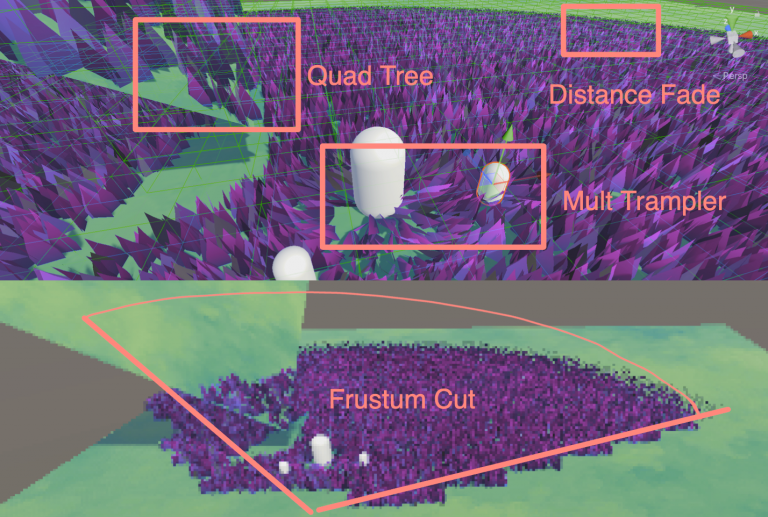
当前传给Compute Shader的摄像机是主相机,也就是游戏窗口那个。现在想要在编辑(Scene窗口)暂时得到主摄像机的镜头,启动游戏之后复原。可以使用 Scene View GUI 绘制事件。
以下是改造我当前代码的例子:
#ifUNITY_EDITORSceneViewview;voidOnDestroy(){// When the window is destroyed, remove the delegate// so that it will no longer do any drawing.SceneView.duringSceneGui-=this.OnScene;}voidOnScene(SceneViewscene){view=scene;if (!Application.isPlaying){if (view.camera!=null){m_MainCamera=view.camera;}}else{m_MainCamera=Camera.main;}}privatevoidOnValidate(){// Set up componentsif (!Application.isPlaying){if (view!=null){m_MainCamera=view.camera;}}else{m_MainCamera=Camera.main;}}#endif
// added for cuttingprivateComputeBufferm_CutBuffer;float[] cutIDs;
初始化Buffer
privateconstint CUT_ID_STRIDE =1*sizeof(float);// added for cuttingm_CutBuffer=newComputeBuffer(grassData.Count,CUT_ID_STRIDE,ComputeBufferType.Structured);// added for cuttingm_ComputeShader.SetBuffer(m_ID_GrassKernel,"_CutBuffer",m_CutBuffer);m_CutBuffer.SetData(cutIDs);
别忘了在Disable的时候释放。
// added for cuttingm_CutBuffer?.Release();
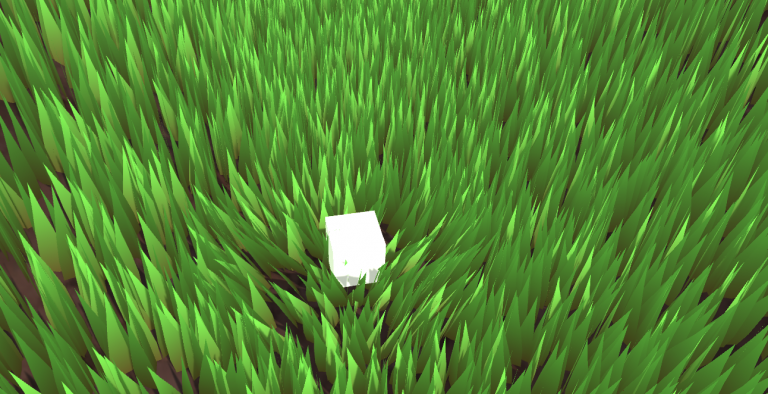
定义一个方法,传入当前位置和半径,计算草的位置。将对应cutID设为-1。
// newly added for cuttingpublicvoidUpdateCutBuffer(Vector3hitPoint,floatradius){// can't cut grass if there is no grass in the sceneif (grassData.Count>0){List<int>grasslist=newList<int>();// Get the list of IDS that are near the hitpoint within the radiuscullingTree.ReturnLeafList(hitPoint,grasslist,radius);Vector3brushPosition=this.transform.position;// Compute the squared radius to avoid square root calculationsfloatsquaredRadius=radius*radius;for (inti=0;i<grasslist.Count;i++){intcurrentIndex=grasslist[i];Vector3grassPosition=grassData[currentIndex].position+brushPosition;// Calculate the squared distancefloatsquaredDistance= (hitPoint-grassPosition).sqrMagnitude;// Check if the squared distance is within the squared radius// Check if there is grass to cut, or of the grass is uncut(-1)if (squaredDistance<=squaredRadius&& (cutIDs[currentIndex] >hitPoint.y||cutIDs[currentIndex] ==-1)){// store cutting pointcutIDs[currentIndex] =hitPoint.y;}}}m_CutBuffer.SetData(cutIDs);}
然后在需要砍草的对象身上绑一个脚本:
usingSystem.Collections;usingSystem.Collections.Generic;usingUnityEngine;publicclassCutgrass : MonoBehaviour{ [SerializeField]GrassControl grassComputeScript; [SerializeField]float radius = 1f;publicbool updateCuts;Vector3 cachedPos;// Start is called before the first frame update// Update is called once per framevoidUpdate(){if (updateCuts&&transform.position!=cachedPos){Debug.Log("Cutting");grassComputeScript.UpdateCutBuffer(transform.position,radius);cachedPos=transform.position;}}privatevoidOnDrawGizmos(){Gizmos.color=newColor(1,0,0, 0.3f);Gizmos.DrawWireSphere(transform.position,radius);}}
在Compute Shader中,直接修改草的高度。(非常直截了当。。。)想改啥效果就随意了。
StructuredBuffer<float>_CutBuffer;// added for cuttingfloatcut=_CutBuffer[usableID];result.height= (bladeHeight+bladeHeightOffset* (xorshift128()*2-1)) *distanceFade;if(cut!=-1){result.height*= 0.1f;}
除此之外,将一个个Mesh草拖到场景中也很常见。这种方法操作空间大,每一颗草都在掌控中。虽然可以用Batching等方法优化,减少CPU到GPU的传输时间,但是这会损耗您键盘上的Ctrl、C、V和D键的寿命。不过可以在Transform组件里面用 L(a, b) 让选中的物体平均分布在 a 和 b 之间。想随机,可以用 R(a, b) 。更多相关的操作可以看官方文档。
Vector3[] vertices =
{
new Vector3(-halfWidth, 0, 0),
new Vector3( halfWidth, 0, 0),
new Vector3(-halfWidth, rowHeight, 0),
new Vector3( halfWidth, rowHeight, 0),
new Vector3(-halfWidth*0.9f, rowHeight*2, 0),
new Vector3( halfWidth*0.9f, rowHeight*2, 0),
new Vector3(-halfWidth*0.8f, rowHeight*3, 0),
new Vector3( halfWidth*0.8f, rowHeight*3, 0),
new Vector3( 0, rowHeight*4, 0)
};
Vector3 normal = new Vector3(0, 0, -1);
Vector3[] normals =
{
normal, normal, normal, normal, normal, normal, normal, normal, normal
};
Vector2[] uvs =
{
new Vector2(0,0),
new Vector2(1,0),
new Vector2(0,0.25f),
new Vector2(1,0.25f),
new Vector2(0,0.5f),
new Vector2(1,0.5f),
new Vector2(0,0.75f),
new Vector2(1,0.75f),
new Vector2(0.5f,1)
};
float4x4 AngleAxis4x4(float3 pos, float angle, float3 axis){
float c, s;
sincos(angle*2*3.14, s, c);
float t = 1 - c;
float x = axis.x;
float y = axis.y;
float z = axis.z;
return float4x4(
t * x * x + c , t * x * y - s * z, t * x * z + s * y, pos.x,
t * x * y + s * z, t * y * y + c , t * y * z - s * x, pos.y,
t * x * z - s * y, t * y * z + s * x, t * z * z + c , pos.z,
0,0,0,1
);
}
想要在不平坦的地面生成怎么办?
只需要修改生成草地初始位置高度的逻辑,用MeshCollider加射线检测,
bladesArray = new GrassBlade[count];
gameObject.AddComponent<MeshCollider>();
RaycastHit hit;
Vector3 v = new Vector3();
Debug.Log(bounds.center.y + bounds.extents.y);
v.y = (bounds.center.y + bounds.extents.y);
v = transform.TransformPoint(v);
float heightWS = v.y + 0.01f; // 浮点数误差
v.Set(0, 0, 0);
v.y = (bounds.center.y - bounds.extents.y);
v = transform.TransformPoint(v);
float neHeightWS = v.y;
float range = heightWS - neHeightWS;
// heightWS += 10; // 稍微调高一点 误差自行调整
int index = 0;
int loopCount = 0;
while (index < count && loopCount < (count * 10))
{
loopCount++;
Vector3 pos = new Vector3( Random.value * bounds.extents.x * 2 - bounds.extents.x + bounds.center.x,
0,
Random.value * bounds.extents.z * 2 - bounds.extents.z + bounds.center.z);
pos = transform.TransformPoint(pos);
pos.y = heightWS;
if (Physics.Raycast(pos, Vector3.down, out hit))
{
pos.y = hit.point.y;
GrassBlade blade = new GrassBlade(pos);
bladesArray[index++] = blade;
}
}
void OnGUI()
{
Vector3 p = new Vector3();
Camera c = Camera.main;
Event e = Event.current;
Vector2 mousePos = new Vector2();
// Get the mouse position from Event.
// Note that the y position from Event is inverted.
mousePos.x = e.mousePosition.x;
mousePos.y = c.pixelHeight - e.mousePosition.y;
p = c.ScreenToWorldPoint(new Vector3(mousePos.x, mousePos.y, c.nearClipPlane + 14));
cursorPos.x = p.x;
cursorPos.y = p.y;
}
// c language Ver
uint32_t xorshift128(void) {
static uint32_t x = 123456789;
static uint32_t y = 362436069;
static uint32_t z = 521288629;
static uint32_t w = 88675123;
uint32_t t = x ^ (x << 11);
x = y; y = z; z = w;
w = w ^ (w >> 19) ^ (t ^ (t >> 8));
return w;
}
usingSystem.Collections;usingSystem.Collections.Generic;usingUnityEngine;publicclassAssignTexture : MonoBehaviour{// ComputeShader 用于在 GPU 上执行计算任务publicComputeShader shader;// 纹理分辨率publicint texResolution =256;// 渲染器组件privateRenderer rend;// 渲染纹理privateRenderTexture outputTexture;// 计算着色器内核句柄privateint kernelHandle;// Start 在脚本启用时被调用一次voidStart(){// 创建一个新的渲染纹理,指定宽度、高度和位深度(此处位深度为0)outputTexture=newRenderTexture(texResolution,texResolution,0);// 允许随机写入outputTexture.enableRandomWrite=true;// 创建渲染纹理实例outputTexture.Create();// 获取当前对象的渲染器组件rend=GetComponent<Renderer>();// 启用渲染器rend.enabled=true;InitShader();}privatevoidInitShader(){// 查找计算着色器内核 "CSMain" 的句柄kernelHandle=shader.FindKernel("CSMain");// 设置计算着色器中使用的纹理shader.SetTexture(kernelHandle,"Result",outputTexture);// 将渲染纹理设置为材质的主纹理rend.material.SetTexture("_MainTex",outputTexture);// 调度计算着色器的执行,传入计算组的大小// 这里假设每个工作组是 16x16// 简单的说就是,要分配多少个组,才能完成计算,目前只分了xy的各一半,因此只渲染了1/4的画面。DispatchShader(texResolution/16,texResolution/16);}privatevoidDispatchShader(intx,inty){// 调度计算着色器的执行// x 和 y 表示计算组的数量,1 表示 z 方向上的计算组数量(这里只有一个)shader.Dispatch(kernelHandle,x,y,1);}voidUpdate(){// 每帧检查是否有键盘输入(按键 U 被松开)if (Input.GetKeyUp(KeyCode.U)){// 如果按键 U 被松开,则重新调度计算着色器DispatchShader(texResolution/8,texResolution/8);}}}
Unity默认的Compute Shader:
// Each #kernel tells which function to compile; you can have many kernels#pragmakernelCSMain// Create a RenderTexture with enableRandomWrite flag and set it// with cs.SetTextureRWTexture2D<float4>Result;[numthreads(8,8,1)]voidCSMain (uint3id : SV_DispatchThreadID) {// TODO: insert actual code here! Result[id.xy] = float4(id.x & id.y, (id.x & 15)/15.0, (id.y & 15)/15.0, 0.0); }
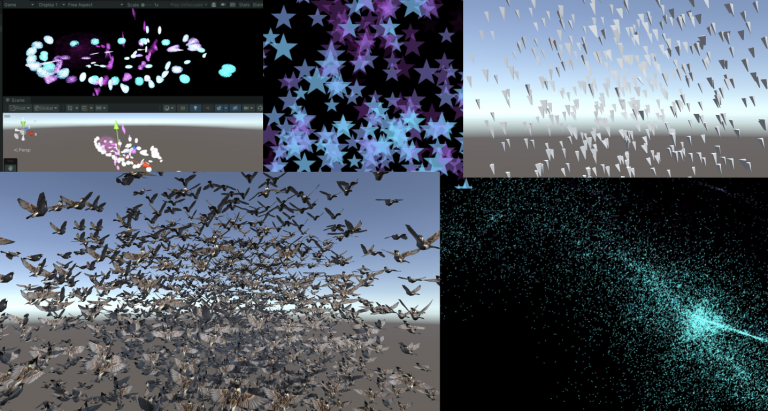
ComputeBuffer resultBuffer; // Buffer
Vector3[] output; // CPU接受
...
//buffer on the gpu in the ram
resultBuffer = new ComputeBuffer(starCount, sizeof(float) * 3);
shader.SetBuffer(kernelHandle, "Result", resultBuffer);
output = new Vector3[starCount];
floatrandom (float2pt,floatseed) {constfloat a =12.9898;constfloat b =78.233;constfloat c =43758.543123;returnfrac(sin(seed+dot(pt,float2(a,b))) *c );}[numthreads(8,8,1)]voidCSMain (uint3id : SV_DispatchThreadID){float4white=1;Result[id.xy] =random(((float2)id.xy)/(float)texResolution,time) *white;}
有一个库可以得到更多各式各样的噪声。https://pastebin.com/uGhMLKeM
#include"noiseSimplex.cginc"// Paste the code above and named "noiseSimplex.cginc"...[numthreads(8,8,1)]voidCSMain (uint3id : SV_DispatchThreadID){float3pos= (((float3)id)/(float)texResolution) *2.0;floatn=snoise(pos);floatring=frac(noiseScale*n);floatdelta=pow(ring,ringScale) +n;Result[id.xy] =lerp(darkColor,paleColor,delta);}
照着伪代码写。也就是用蒙特卡洛方法求解渲染方程。与之前不同的是,这次的样本都在屏幕空间中。在采样的过程中可以使用框架提供的 SampleHemisphereUniform(inout s, ou pdf) 和 SampleHemisphereCos(inout s, out pdf) ,其中,这两个函数返回局部坐标,传入参数分别是随机数 s 和采样概率 pdf 。
间接光照涉及上半球方向的随机采样和对应pdf计算。使用 InitRand(screenUV) 得到随机数就可以了,然后二选一, SampleHemisphereUniform(inout float s, out float pdf) 或 SampleHemisphereCos(inout float s, out float pdf) ,更新随机数同时得到对应 pdf 和单位半球上的局部坐标系的位置 dir 。
将当前Shading Point的法线坐标传入函数 LocalBasis(n, out b1, out b2) ,随后返回 b1, b2 ,其中 n, b1, b2 这三个单位向量两两正交。通过这三个向量所构成的局部坐标系,将 dir 转换到世界坐标中。关于这个 LocalBasis() 的原理,我写在最后了。
By the way, the matrix constructed with the vectors n (normal), b1, and b2 is commonly referred to as the TBN matrix in computer graphics.